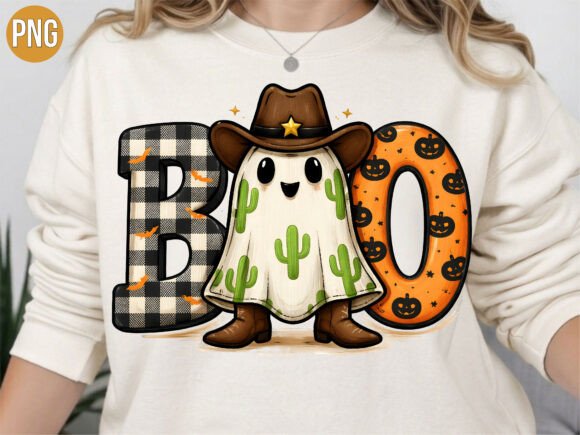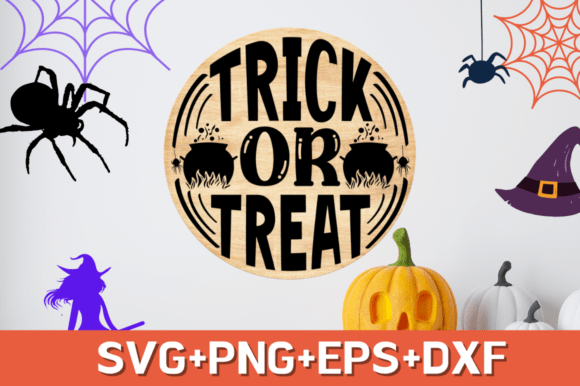
Trick or Treat SVG Design: A Halloween Roundup for Flawless Crafting
As the leaves begin to turn and the air grows crisp, crafters and small business owners shift their focus to one of the most profitable and creative seasons of the year: Halloween. At the center of this seasonal rush is the Trick or Treat SVG design, a versatile digital asset that has become a staple for DIY enthusiasts and commercial creators alike. Whether you are designing custom apparel for your family, creating unique home decor, or stocking your online shop with festive merchandise, having the right digital file is crucial. However, not all vector files are created equal. Many beginners and even experienced designers overlook critical details when selecting and using these designs, leading to wasted materials, frustrated customers, and subpar results.
This guide explores the common pitfalls associated with downloading and using Halloween-themed vector graphics. By understanding what makes a high-quality Halloween round design effective, you can avoid costly mistakes and ensure your projects look professional every time.
The Hidden Cost of Poorly Optimized Vector Files
One of the most frequent mistakes crafters make is assuming that any file labeled as an "SVG" will cut cleanly on machines like Cricut, Silhouette, or ScanNCut. In reality, many free or low-cost downloads contain unnecessary nodes, overlapping paths, or open shapes that confuse cutting software. When you load a poorly optimized file, your machine may attempt to cut the same line multiple times, tear delicate vinyl, or fail to weed properly after cutting.
Why this matters: A design with messy cut lines increases material waste and production time. For small business owners, this directly impacts profit margins. For hobbyists, it leads to frustration and abandoned projects.
The better approach: Always preview your design in your cutting software before sending it to the machine. Look for clean, smooth paths. High-quality files, such as professionally designed Trick or Treat SVGs, are engineered with minimal anchor points and closed paths to ensure flawless execution. If a design looks jagged or complex in the preview pane, it is likely not optimized for cutting.
Ignoring File Format Compatibility
Another common oversight is downloading only one file format without considering the specific requirements of your hardware or software. While SVG is the gold standard for most modern cutting machines, some users rely on older software versions or different platforms that require DXF or EPS files. Conversely, those looking to create sublimation prints or digital stickers need high-resolution PNG files with transparent backgrounds.
Realistic example: A crafter buys a bundle that only includes SVG files but uses Silhouette Basic Edition, which historically had limited SVG support without a paid upgrade. They struggle to import the design, wasting hours trying to convert formats manually, often resulting in lost quality.
Practical advice: Before purchasing or downloading, verify the included formats. A comprehensive digital download should include:
- SVG: For Cricut Design Space and other modern cutting software.
- DXF: Specifically for Silhouette Basic Edition users who cannot import SVGs.
- PNG: High-resolution (300 DPI) with a transparent background for sublimation, printing, or digital use.
- EPS: An editable vector format for professional graphic design software like Adobe Illustrator.
Having access to all these formats ensures maximum compatibility and convenience, allowing you to switch between projects seamlessly.
Overlooking Scalability and Composition
Many creators assume they can stretch or squash a design to fit a specific product, such as a mug or a tote bag. This is a critical error that distorts typography and unbalances the composition. A well-designed Trick or Treat SVG features balanced spacing and modern typography that maintains its integrity when resized proportionally. However, non-proportional scaling ruins the aesthetic appeal and can make text unreadable.
Furthermore, some designs are too intricate for certain materials. A highly detailed Halloween round design might look stunning on paper but fail miserably when cut from heat transfer vinyl (HTV) due to thin bridges and small gaps that are difficult to weed.
How to avoid this: Check the complexity of the design against your chosen material. For HTV and stickers, choose designs with bold lines and adequate spacing. For sublimation or paper crafts, you can opt for more intricate details. Always resize your design proportionally by holding the shift key (or equivalent) while dragging the corners in your design software.
Neglecting Commercial Use Rights
For entrepreneurs and print-on-demand sellers, understanding licensing is non-negotiable. A frequent and dangerous mistake is using a "personal use only" design for commercial products. This can lead to copyright strikes, account suspensions on platforms like Etsy or Amazon, and legal issues.
What to check: Always read the license agreement included with your digital download. Reputable creators clearly state whether their files are approved for commercial use. High-quality packs often include a commercial license, allowing you to sell physical items made with the design, such as t-shirts, mugs, tumblers, and wall decals.
Better practice: Keep a record of your licenses. If you are building a brand, invest in designs from creators who offer clear, broad commercial rights. This protects your business and gives you peace of mind as you scale your operations.
Skipping the Test Cut
Even with a perfect file and the right settings, skipping a test cut is a gamble. Materials vary significantly between brands and batches. Vinyl thickness, adhesive strength, and paper texture can all affect how a design cuts and weeds. Assuming your previous settings will work for a new project is a recipe for disaster.
Solution: Always perform a small test cut on a scrap piece of your actual material. This allows you to adjust pressure, speed, and blade depth before committing to your final product. It is a small step that saves significant time and money in the long run.
Maximizing Your Creative Potential
When you choose a high-quality Trick or Treat SVG design, you are investing in efficiency and professionalism. These files are crafted with attention to detail, ensuring that every curve and letter is precise. They are ideal for a wide range of applications, including:
- Custom t-shirts and hoodies for family groups or events.
- Personalized mugs and tumblers for gifts or sales.
- Tote bags and stickers for promotional items.
- Wall decals and greeting cards for home decor.
- Scrapbooking layouts and sublimation prints.
By avoiding common mistakes such as ignoring file formats, neglecting scalability, and overlooking licensing, you elevate the quality of your work. Remember, the goal is not just to complete a project, but to create something that looks premium and functions perfectly. Whether you are a beginner learning the ropes or a seasoned pro expanding your catalog, taking the time to select and use the right digital assets makes all the difference.
Instant download options provide immediate access to these resources, allowing you to start creating beautiful products instantly. No physical item is shipped, so you can begin your next Halloween project within minutes. Embrace the season with confidence, knowing your designs are optimized for success.